The Splitwise daily limit, explained (and what to do about it)
Splitwise's free tier caps how many expenses you can add per day. Here is what the Splitwise daily limit actually is in 2026, why it exists, and your three honest options: live with it, pay for Pro, or switch to a free app with no cap.
As of 2026, Splitwise caps how many expenses you can add per day on its free tier, around 3 entries, with a short cooldown between adds and ads on the free version. You have three honest options: live with the cap, upgrade to Splitwise Pro (about $4.99/month), or switch to a free app with no cap. Check Splitwise's current page for exact numbers.
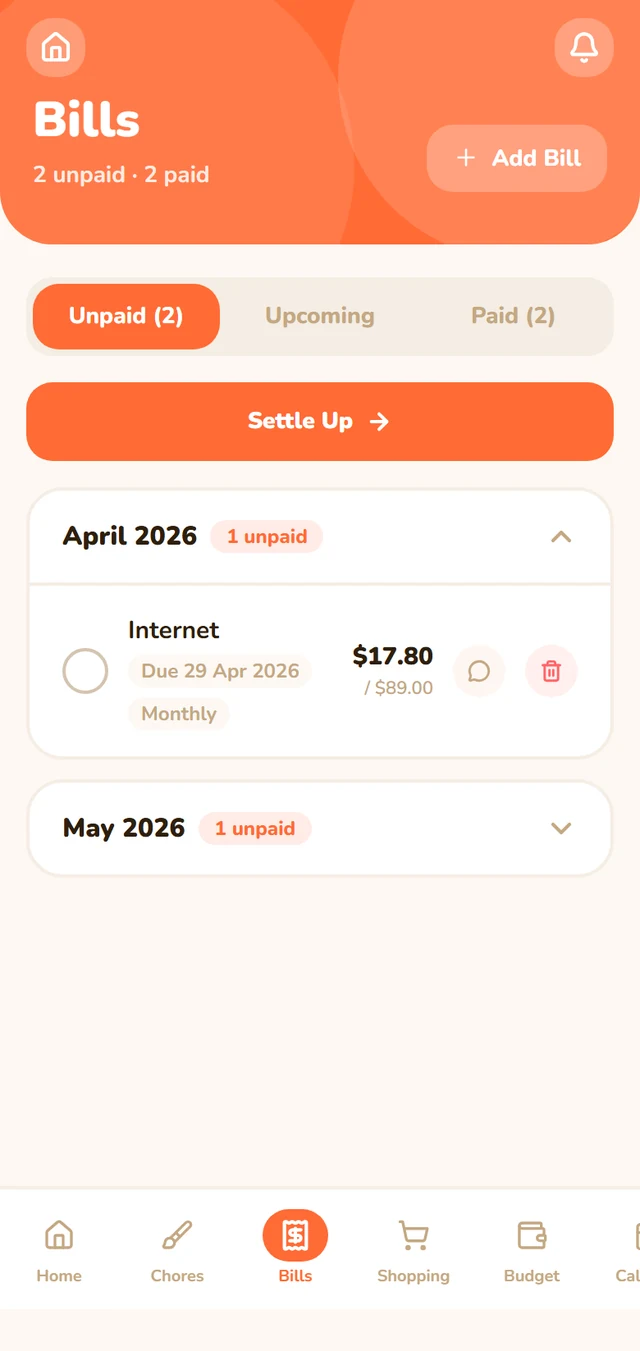
The proof (first-party): Flatmate Flow has no daily expense cap. Add as many bills as you like, on the free tier, with no ads. Every feature is included free (custom splits, recurring bills, multi-currency, an AI receipt scanner, chores, and a household budget). The honest catch: it needs a free account, and there's no one-click Splitwise import yet.
What the limit actually is#
If you started seeing a "daily limit reached" message or a wait timer when adding expenses, that's the free-tier cap, not a bug. As of 2026, the free version of Splitwise lets you log only a handful of expenses per day before it asks you to wait or upgrade, and it shows ads in between.
The exact figures move around, and Splitwise hasn't always published them clearly, so treat any specific number as approximate. The behaviour people report is consistent: a small number of free expense adds per day, a brief cooldown between them, and a prompt to go Pro to remove both.
(Splitwise's limits and pricing change. Confirm the current numbers on Splitwise's own pricing page before you decide.)
Why Splitwise added a daily limit#
Splitwise is free to use and expensive to run, so the cap is a monetisation move. Adding friction to the free tier (a daily limit, a cooldown, ads) nudges heavier users toward the paid Pro plan. Share houses feel it first because four people logging groceries, utilities, and rent split hit a low daily cap fast.
It isn't a punishment, it's a funnel. That's worth knowing, because it means the limit won't loosen on its own. Your real choice is whether to pay, wait, or move.
Your options, side by side#
| Option | What it costs | Daily expense cap | Ads | Best for |
|---|---|---|---|---|
| Stay on Splitwise free | Free | Yes, a daily cap (Splitwise does not publish the number) | Yes | Light users who rarely hit the cap |
| Upgrade to Splitwise Pro | US$4.99/mo | No | No | People who only need splitting and already use Splitwise |
| Switch to Flatmate Flow | Free | No cap | No | Share houses wanting bills plus chores, shopping, budget in one free app |
| Switch to Tricount | Free | No cap | Minimal | Travel groups who only need splitting, no signup needed |
How each option plays out#
Stay on the free tier and live with the cap. Fine if you only log a few shared expenses a week. If you're a couple or a quiet flat, you may never notice the limit. Once a busy house starts logging daily, the cooldown and the ads get old.
Upgrade to Splitwise Pro. As of 2026 this is US$4.99/month, or US$39.99/year on the US App Store (Splitwise on the App Store). Prices vary by storefront. It removes the daily cap and the ads and adds extras like receipt scanning and charts. Worth it if splitting is genuinely all you need and your housemates already live in Splitwise. You're paying to remove a limit that other apps don't impose in the first place.
Switch to a free app with no cap. Two real options. Flatmate Flow is free with every feature included and no daily limit, and it goes past splitting into chores, a self-updating shopping list, and a household budget. The honest tradeoffs: it needs a free account, it has a smaller user base than Splitwise, there's no in-app payment processing, and there's no Splitwise import yet, so you'd start fresh. Tricount is also free with no cap and needs no signup, but it's built for trips and does nothing beyond splitting, so recurring monthly bills take manual work.
Quick decision#
- You rarely hit the cap and only need splitting, stay on Splitwise free.
- You hit the cap often but only need splitting and your housemates already use Splitwise, pay for Pro.
- You want no cap for free and more than splitting (chores, shopping, budget), try Flatmate Flow.
- You want no cap for free, only need splitting, and travel a lot, use Tricount.
If you want the deeper head-to-head on the free options, here's the full breakdown of the best free Splitwise alternatives for share houses.
Honest reality#
There's no trick to remove the Splitwise cap for free, Splitwise put it there on purpose. You either pay them to lift it or move to an app that never capped you. Flatmate Flow's case is simple: no daily limit, no ads, every feature free, in exchange for a smaller community and a fresh start with no import. For a busy share house, not counting your daily expenses is usually the point. If you are weighing every option, our honest comparison of the best roommate apps in 2026 lays them side by side.
Frequently asked questions#
What is the Splitwise daily expense limit?#
As of 2026, Splitwise's free tier limits how many expenses you can add per day, reported as around 3 entries, with a short cooldown between adds and ads on the free version. The exact figures change and aren't always published clearly, so confirm the current numbers on Splitwise's own pricing page. Splitwise Pro removes the cap and the ads.
Why did Splitwise add a daily limit?#
It's a monetisation move. Splitwise is free to use and costly to run, so adding friction to the free tier (a daily cap, a cooldown, and ads) nudges heavier users toward the paid Pro plan. Share houses hit the limit fastest because several people logging shared expenses run through a low daily allowance quickly.
How do I get around the Splitwise expense limit?#
Honestly, there's no free workaround, Splitwise added the cap on purpose. Your two real options are to upgrade to Splitwise Pro (about $4.99/month as of 2026, which removes the cap and ads) or to switch to a free app that has no daily limit, such as Flatmate Flow or Tricount. Verify the current Pro price before paying.
Is there a free bill-splitting app with no daily limit?#
Yes. Flatmate Flow is free with every feature included and no daily expense cap and no ads, covering bill splitting plus chores, a shopping list with an AI receipt scanner, and a household budget. It does need a free account, and there's no Splitwise import yet, so you start fresh. Tricount is another free, no-cap option if you only need splitting.
Tired of counting your daily expenses? Sign up free, no card, no cap, no ads. See the full feature list or the pricing first if you like.
By Dan Kilkelly, Flatmate Flow. Last updated 2026-06-23.